



 September 7, 2026
 2 mins to read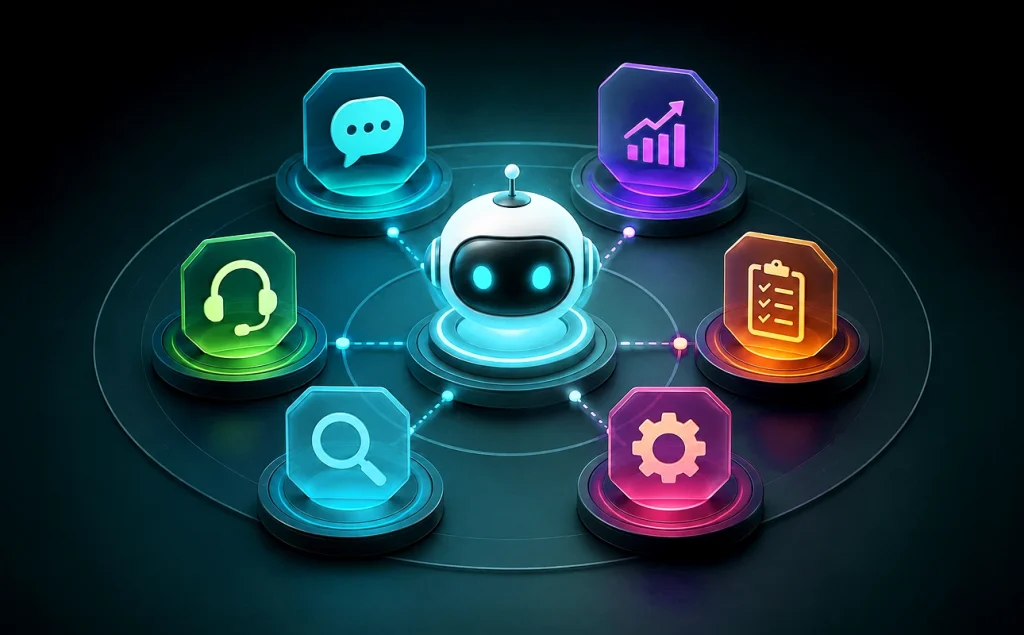
An AI agent can look capable and still be the wrong fit for the work. Problems start when its decision logic, access, or authority does not match the workflow.
The better choice starts with the job. Bytes Technolab, an AI-first Product Engineering partner, helps Australian teams match agent behaviour, access, human checks, and coordination to a clear outcome.
AI Agents Work Towards Goals and Take Approved Actions
AI agents do more than return an answer. They can work towards a defined goal, decide what to do next, and take approved actions using instructions, business data, memory, APIs, or software tools.
That makes them different from chatbots that mainly exchange information. A chatbot can explain a return policy, while an agent can check an order, prepare the return, update the case, and stop when human approval is required. That extra action changes the control model.
What Is an AI Agent?
An AI agent is software that can choose and carry out steps towards a goal within set limits. Unlike fixed workflow automation, it can change the next action when new context changes what the task requires.
Why Choosing an AI Agent by Label Creates the Wrong Fit
Agent selection should begin with the work, not the most advanced label. A poor fit usually comes from too much authority, weak approval rules, or extra coordination that the process never needed.
Australia already shows why this matters. Deloitte Australia’s 2026 AI report says about 69% of Australian organisations use autonomous AI agents, while only 22% report advanced agent governance models.
The answer is to define the outcome, required data, permitted actions, exception path, and accountable owner before giving software more independence.
Types of AI Agents for Business Automation: Five Core Types With Examples
The five traditional types of AI agents explain how a system decides what action to take. They are simple reflex, model-based reflex, goal-based, utility-based, and learning agents.
These types are not a ladder where the most advanced option always wins. Rule-based agents suit predictable work, while planning or learning matters when new information changes the task.
The classification is widely used in current AI-agent explainers, including TechTarget’s guide to the five agent types.
| Simple reflex | Uses condition-action rules | Routes standard requests | Humans handle exceptions |
| Model-based reflex | Uses input plus internal state | Tracks order status | Reviews uncertain state changes |
| Goal-based | Plans towards a defined goal | Resolves multi-step service cases | Approves consequential actions |
| Utility-based | Scores options against criteria | Chooses fulfilment options | Reviews scoring rules |
| Learning | Adapts from feedback | Improves triage recommendations | Monitors feedback and drift |
A simple reflex agent reacts to current input using predefined condition-action rules. It has no memory of earlier events, so its behaviour is predictable in stable situations.
- How it works: Matches a condition to a fixed action.
- Example: A service desk detects a password-reset request, starts the mapped workflow, and routes unmatched requests to support staff.
- Best use cases: Ticket routing, threshold alerts, access requests, and fixed workflow triggers.
- Watch for: It struggles when past events or changing context matter.
What Is a Model-Based Reflex Agent?
A model-based reflex agent uses current input plus an internal view of what is happening. Stored state helps when a new event only makes sense with earlier context.
- How it works: Updates internal state as new information arrives, then applies rules.
- Example: An operations agent tracks an order across systems, then interprets a new delay against its current status.
- Best use cases: Order monitoring, asset tracking, inventory status, and exception detection.
- Watch for: It remembers state but does not automatically plan towards a future goal.
What Is a Goal-Based Agent?
A goal-based agent chooses actions by asking which steps move the work towards a defined result. It can plan instead of reacting to each event alone.
- How it works: Evaluates possible actions against a goal and selects a sequence.
- Example: A support agent restoring account access verifies identity, checks account state, selects a remedy, and confirms completion.
- Best use cases: Multi-step service, task planning, IT resolution, and clear-goal workflows.
- Watch for: High-impact or irreversible actions still need human approval.
What Is a Utility-Based Agent?
A utility-based agent compares valid options against criteria such as cost, time, risk, service level, or quality, then chooses the option with the strongest overall score.
- How it works: Scores competing choices against defined criteria.
- Example: A fulfilment agent compares time, cost, stock position, and service commitments before choosing how an order should ship.
- Best use cases: Fulfilment, scheduling, routing, and other decisions with competing priorities.
- Watch for: Poor scoring rules can push the agent towards the wrong outcome.
What Is a Learning Agent?
A learning agent changes future behaviour using feedback or experience. It fits work where good historical signals exist, and decisions should improve rather than stay fixed.
- How it works: Uses outcomes or feedback to improve future choices.
- Example: A service triage agent learns which cases needed escalation and improves how it prioritises similar cases.
- Best use cases: Recommendations, service triage, anomaly patterns, personalisation, and feedback-rich decisions.
- Watch for: Feedback quality, drift, and unexpected behaviour need review.
How Do Classical Agent Types Differ From Modern Agent Patterns?
The five classical types describe decision behaviour. Modern labels such as tool-using, memory-enabled, autonomous, and multi-agent systems describe how agents are set up and allowed to operate.
A goal-based agent can also use tools. A learning agent can be part of a multi-agent system. These labels answer different questions, so businesses should first understand how decisions need to happen, then decide what tools, memory, permissions, and coordination the live workflow requires.
Where Autonomous AI Agents Fit in Real Workflows
Autonomous AI agents are well-suited to work that requires several approved actions without a person directing every routine step. The useful level of autonomy is the minimum independence that prevents avoidable handoffs while maintaining clear ownership.
One agent may only recommend an action. Another may read CRM data, update an approved record, and create a task. Those are very different authority levels even if both products are described as autonomous.
For stable rules and fixed approval paths, AI Workflow automation solutions can remain the simpler choice. Agent reasoning earns its place when changing context genuinely affects the next action.
What Makes an AI Agent Autonomous?
An agent becomes autonomous when it can choose and complete approved steps without step-by-step human direction. That does not mean unrestricted access.
The workflow should still state which tools the agent may use, what data it can read or change, when it must stop, and which decisions require human approval. More autonomy is useful only when the workflow needs it.
Real-World AI Agent Use Cases Show Where Each Pattern Fits
Good AI-agent use cases start with a workflow problem, not an industry label. The task should have a clear outcome, accessible data, approved tools, and an owner for exceptions or wrong actions.
The same agent technology can carry very different risk depending on what it is allowed to change. In real business operations today, these examples show how outcome, system access, and human checks work together instead of treating an agent as a general-purpose assistant.
How Can AI Agents Support Customer Service?
A service agent can gather account history, check policy, prepare a response, update the case, and create the next task. Routine steps can move without repeated context gathering.
- Example: Resolve a delivery query across CRM, order, and carrier data.
- Best use cases: Case triage, policy lookup, order support, and follow-up tasks.
- Human check: Refunds, credits, policy exceptions, or sensitive changes.
How Can AI Agents Support Sales and CRM Work?
A sales agent can collect lead context, review earlier activity, prepare a follow-up, and update an approved CRM field. It can also flag accounts that meet agreed attention rules.
- Example: Prepare a lead’s next action from firmographic data and recent engagement.
- Best use cases: Lead research, CRM hygiene, follow-up preparation, and prioritisation.
- Human check: Pricing commitments, contract terms, and sensitive communication.
How Can AI Agents Support Finance and Operations?
An operations agent can compare invoice, purchase-order, and delivery data, flag mismatches, collect evidence, and route the exception to the correct owner.
- Example: Flag a quantity mismatch and assemble related records before review.
- Best use cases: Exception handling, document checks, monitoring, and evidence gathering.
- Human check: Payments, overrides, write-offs, and other high-impact financial actions.
How Can AI Agents Support IT and Service Operations?
An IT agent can monitor events, gather diagnostic context, classify an incident, create a ticket, and perform approved low-risk remediation with a known rollback path.
- Example: Collect logs and restart an approved service after a known health check fails.
- Best use cases: Incident triage, diagnostics, standard remediation, and service-desk support.
- Human check: Privilege changes, destructive actions, or critical-system changes.
Coordination Demands Determine Whether You Need One or Multiple AI Agents
Custom AI agents fit bounded work when one objective, one context, and one permission model cover the task. Fewer handoffs also make behaviour easier to test.
Multiple agents make sense when specialist roles, parallel work, or separate permissions create a clear advantage. They also add routing, shared state, retry, and failure handling.
That is why multi-agent design should be treated as a coordination decision rather than a maturity badge. The extra layer must earn its place.
Are Multi-Agent Systems Better Than Single Agents?
Multi-agent systems are better only when role separation creates more value than the extra coordination burden. More agents do not automatically improve accuracy, control, or business value.
A research workflow may justify separate retrieval, analysis, and checking roles. A refund workflow may need only one controlled agent if the same data, tools, and approval rules apply throughout.
Before adding another agent, define what it owns, what it can access, and what happens when its handoff is incomplete.
The Bytes Technolab Agent Fit Framework Helps Choose the Right AI Agent
The best agent for business automation is the smallest architecture that can complete the work safely and measurably. Start with the workflow before choosing a model, framework, or agent count.
Bytes Technolab uses an AI readiness assessment to examine workflow ownership, data readiness, system access, and decision boundaries. That review helps separate a useful agent use case from a process that needs simpler automation.
Australian Government agentic AI guidance also tells agencies to consider task complexity, the data environment, scalability needs, and interoperability when selecting agent technology.

Which Type of AI Agent Is Best for Business Automation?
The best type is the one that completes the required workflow with the least unnecessary autonomy and coordination. The Bytes Agent Fit Framework checks Workflow Complexity, Autonomy, Access, Approval, and Coordination before architecture choices are finalised.
Workflow Complexity
Ask whether changing context changes the next decision. Stable rules point towards conventional automation. A stronger case for an agent appears when new information can change the sequence, tool, or action required.
Autonomy
Decide how far work can proceed without a person. The aim is to remove repeated handoffs while keeping people in control of actions where mistakes are costly or hard to reverse.
Access
List what the agent must read, write, trigger, or communicate. Separate permissions by system so access that is necessary in one application does not become broad authority everywhere else.
Approval
Mark the decisions that remain human-controlled. Name the approver, the condition that triggers review, and the rollback path before the workflow reaches live users or connected systems.
Coordination
Add more agents only when specialist roles, separate permissions, or parallel work solve a real workflow problem. If one bounded agent can finish the task, extra orchestration creates more failure points without a clear return.
How to Scope AI Agent Development Before You Build
AI agent development should start with a written workflow boundary. A technically capable system cannot fix an unclear outcome, missing owner, or permission model that was never agreed.
The answer may still be conventional automation. Fixed steps and stable approvals can make an agent an expensive answer to a process that already follows predictable rules.
For higher-autonomy work, Australian cyber guidance recommends phased deployment, progressively increasing access and autonomy, continuous evaluation, and human oversight.
b>What Should You Validate Before AI Agent Development?
Each readiness check should produce a written answer that an owner can verify. This keeps architecture discussions tied to the workflow instead of turning model choice into the starting point.
- Define the outcome: Name the result, owner, and acceptable failure conditions.
- Map data and tools: List required systems, APIs, knowledge sources, and dependencies.
- Set permissions: Separate read, write, trigger, communication, and irreversible actions.
- Mark approvals: Define human checkpoints, escalation conditions, and rollback authority.
- Choose architecture: Compare fixed automation, one specialised agent, and coordinated agents.
- Define success: Measure task completion, exception rate, human intervention, cost, and business outcome.
Teams comparing AI agent development services in Australia should expect a clear reason why the workflow needs an agent before any build is proposed.
Where planning, tool use, memory, or coordinated agents are justified, agentic AI solutions can be assessed against those verified requirements rather than added by default.
Choose the Workflow Boundary Before the Agent Label
The strongest choice is not the agent with the most independence. It is the design your team can explain, govern, and measure.
Bytes Technolab, an AI-first Product Engineering partner, starts with the workflow outcome and its limits. Once access, approvals, ownership, and coordination are clear, teams can choose automation, one agent, or several agents for a reason they can defend.
Frequently Asked Questions
Start with how the workflow makes decisions. Compare the types of AI agents against memory needs, planning, trade-offs, learning, system access, and failure consequences. Choose the simplest pattern that can complete the work reliably within the permissions and approval rules your team can manage.
AI workflow automation follows defined rules and routing paths. Autonomous AI agents can choose among approved actions when context changes. The two can work together, with automation controlling predictable steps while an agent handles bounded judgment in the parts of the process that need it.
A chatbot mainly exchanges information through conversation. Custom AI agents can also use tools, update workflow state, and complete approved actions. The interface may look similar, but the important difference is what the software is allowed to decide and change after the conversation starts.
Yes. Different types of AI agents for business automation can share work when specialist roles help. Define shared state, routing, permissions, retry rules, failure ownership, and approval points first so one weak handoff does not quietly cause the next agent to act on incomplete context.
When comparing an AI agent development company or AI/ML development partner, look for workflow discovery, data-readiness checks, permission design, integration experience, evaluation methods, and monitoring. Bytes Technolab treats AI agent development as a fit decision first, so simpler automation remains an acceptable answer.
Table Of Content
- AI Agents Work Towards Goals and Take Approved Actions
- What Is an AI Agent?
- Why Choosing an AI Agent by Label Creates the Wrong Fit
- Types of AI Agents for Business Automation: Five Core Types With Examples
- What Is a Model-Based Reflex Agent?
- What Is a Goal-Based Agent?
- What Is a Utility-Based Agent?
- What Is a Learning Agent?
- How Do Classical Agent Types Differ From Modern Agent Patterns?
- Where Autonomous AI Agents Fit in Real Workflows
- What Makes an AI Agent Autonomous?
- Real-World AI Agent Use Cases Show Where Each Pattern Fits
- How Can AI Agents Support Customer Service?
- How Can AI Agents Support Sales and CRM Work?
- How Can AI Agents Support Finance and Operations?
- How Can AI Agents Support IT and Service Operations?
- Coordination Demands Determine Whether You Need One or Multiple AI Agents
- Are Multi-Agent Systems Better Than Single Agents?
- The Bytes Technolab Agent Fit Framework Helps Choose the Right AI Agent
- Which Type of AI Agent Is Best for Business Automation?
- Workflow Complexity
- Autonomy
- Access
- Approval
- Coordination
- How to Scope AI Agent Development Before You Build
- b>What Should You Validate Before AI Agent Development?
- Choose the Workflow Boundary Before the Agent Label