


 February 10, 2025
 2 mins to read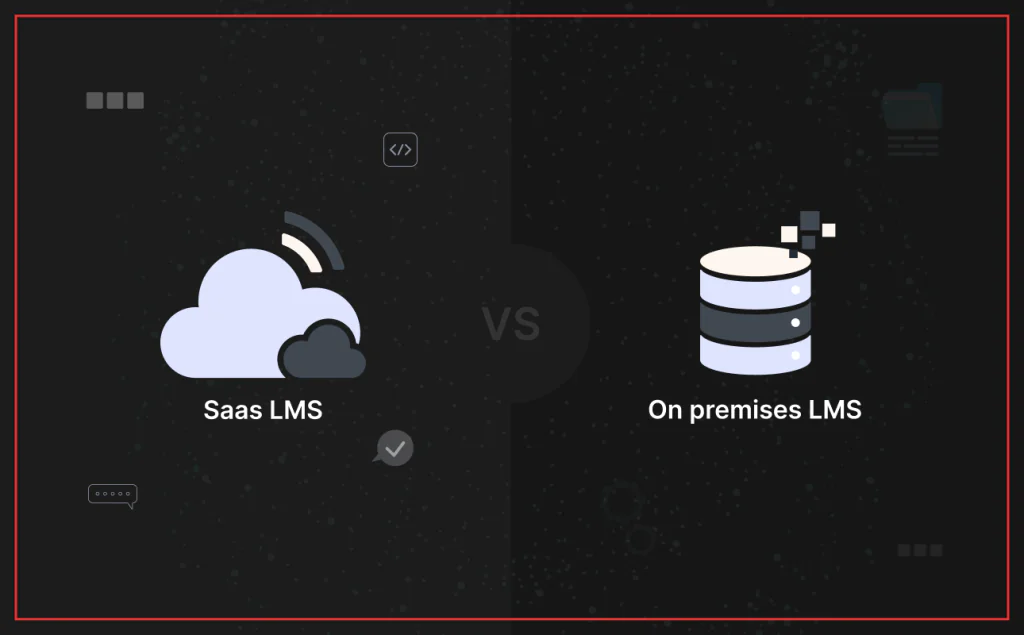
When comparing SaaS LMS vs. on-premises LMS, the difference is simple: a SaaS LMS is a cloud-based Learning Management System hosted and managed by a third-party provider, while an on-premises LMS runs on your own servers and depends on internal IT for infrastructure, updates, and maintenance. For educational institutions, startups, and enterprises evaluating digital learning or workforce training platforms, that choice directly affects cost, deployment speed, scalability, remote access, security oversight, and long-term operating complexity.
Learning Management Systems are now central to how businesses train teams, onboard employees, manage certifications, and deliver digital learning at scale. As a SaaS development company bytes Technolab has spent nearly two decades building cloud-native learning platforms for ed-tech companies and enterprises, we’ve seen this decision play out dozens of times — and it’s rarely just about which model “sounds better.” It comes down to your operating model, compliance needs, growth plans, and product modernization roadmap.
This guide breaks down the basics of SaaS LMS and on-premises LMS, the key differences between them, and the trade-offs around upfront cost, deployment, maintenance, accessibility, scalability, security, and AI-powered analytics — so you can decide which model fits your business, and where a SaaS development partner can help you get there faster.
SaaS LMS vs. On-Premises LMS: Understanding the Basics
Before comparing the two models feature by feature, it helps to understand what each one actually is.
On-Premises Learning Management Systems
An on-premises LMS runs on your company’s own servers. This setup requires dedicated IT infrastructure, in-house maintenance, and personnel to manage the system. Organizations have historically favored this model because it offers full control over data, security, and customization.
Think of it like owning a private library. You decide who has access, what books are added, and how everything is organized — but you’re also responsible for the building’s upkeep, updates, and security. Because of compliance and data security requirements, businesses in highly regulated sectors like healthcare and finance still frequently choose this architecture.
SaaS-Based Learning Management Systems
A SaaS LMS, by contrast, is hosted on cloud servers and managed by a third-party provider. Instead of installing and maintaining software in-house, businesses subscribe to an LMS as a service and access it online — with the provider handling hosting, uptime, and infrastructure.
It’s the difference between owning a library and using a public digital one: the books are always available, automatically updated, and accessible from any device, with someone else handling the maintenance.
A SaaS LMS typically supports basic branding customization (logos, colors, themes), though deep structural customization is usually more limited than what an on-premises system allows. When evaluating providers, look closely at their customer support responsiveness and uptime track record — since you’re trusting them with day-to-day access, a slow support team can become a real operational bottleneck. One practical note: SaaS LMS platforms require a stable internet connection, so teams in low-connectivity environments should factor that into the decision.
Why Modern Businesses Are Moving to the Cloud
As businesses grow, legacy learning management systems tend to become outdated, cluttered with mismanaged data, and slow to update. Adding new course content, scaling for a growing team, or rolling out new features becomes a bigger lift than it should be — legacy infrastructure simply isn’t built to keep pace with newer technology.
Cloud-based LMS platforms solve this by offering instant, remote accessibility with automatic upgrades and no dedicated IT overhead. That’s a big part of why SaaS LMS has become the standard choice for online training, corporate training, and broader digital learning programs in the ed-tech space.
Here’s a closer look at the specific reasons driving that shift.
1. Lower Total Cost of Ownership (TCO)
On-premises systems require significant upfront capital: hardware, software licenses, and — critically — IT staff to install, configure, and maintain the system over time. A SaaS LMS replaces that capital outlay with a predictable, recurring subscription fee.
That shift lets businesses redirect budget toward improving training content and expanding learning programs, rather than maintaining infrastructure or staffing a dedicated IT team just to keep the LMS running.
According to Gartner, organizations migrating to cloud-based SaaS platforms reduce total IT infrastructure costs by an average of 15–30% within the first two years.
2. Faster Deployment and Easier Adoption
On-premises LMS deployment is a long process — often weeks or months — to configure the system around your specific business processes, plus ongoing time spent on installation and troubleshooting. A SaaS LMS, by comparison, can typically be up and running from day one.
Two things matter beyond speed of setup: the platform needs an intuitive interface so both admins and learners have a low learning curve, and it should include built-in authoring tools so your team can build and manage courses without extra software. Deployment speed also depends heavily on vendor support — a good SaaS LMS vendor manages platform upgrades on their end and should be actively involved during setup, troubleshooting, and rollout, not just at the point of sale.
3. Scalability for Growing Businesses
Scalability is where on-premises systems tend to hit a wall. As a workforce grows, on-premises infrastructure often can’t absorb rising user demand without expensive server and IT upgrades.
SaaS LMS platforms are built for on-demand scalability — adding users, courses, or features doesn’t require new infrastructure spend. This matters even more when the platform integrates cleanly with the other SaaS tools and cloud systems your business already runs, since that keeps training workflows connected rather than siloed as you scale. Whether you’re managing seasonal training spikes or expanding into new markets, a cloud-based LMS scales without added infrastructure cost.
4. Accessibility and Remote Learning
Employees are no longer confined to office environments, and training needs to follow them. SaaS LMS platforms let learners access courses from any device — laptop, tablet, or smartphone — which makes mobile learning and online course delivery far easier to support. That flexibility is especially valuable for employee onboarding, customer education, and any organization managing distributed teams, contractors, or fully remote staff.
On-premises LMS platforms, by contrast, are often restricted to the internal network, making remote access difficult without VPNs or custom IT configuration.
5. Automatic Updates and Maintenance
Self-hosted LMS platforms place the ongoing burden of updates, patches, and maintenance squarely on your internal IT team. Every security patch or feature release means IT time — and potential downtime — on your end.
With a SaaS LMS, the provider handles updates automatically, so your team gets the latest features, security fixes, and compliance updates without lifting a finger. That’s a meaningful reduction in both maintenance cost and long-term risk of running outdated software.
6. AI-Powered Analytics and Personalization
This is where SaaS LMS platforms have pulled decisively ahead of older, conventional models. Most cloud-based LMS solutions now offer real-time analytics on engagement, course completion, and learner progress — data that’s difficult to generate with static, on-premises reporting tools.
AI-powered LMS platforms can go a step further, using an employee’s role, performance, and learning history to recommend personalized learning paths aligned with organizational training goals. Many platforms also now support social and blended learning features — discussion tools, cohort-based courses, interactive content — to improve engagement at scale. Building this kind of AI ML development solutions capability into a static, on-premises system from scratch is a significant engineering lift; it’s typically far more practical through a cloud-native platform or a development partner experienced in AI/ML integration.
Forrester research found that customer education programs increased adoption of products targeted by training by 38.3%, while organizations increasingly planned to use AI to personalize learning paths.
SaaS LMS vs. On-Premises LMS: Head-to-Head Comparison
| Feature: | SaaS LMS (Cloud-Based) | On-Premises LMS |
| Cost | Recurring subscription fees, lower upfront cost | High initial capital expenditure for infrastructure |
| Deployment Time | Instant setup, ready-to-use | Lengthy installation and configuration |
| Scalability | Easily scalable, flexible user management | Limited by hardware capacity |
| Maintenance | Automatic updates, no IT burden | Requires in-house IT maintenance |
| Accessibility | Better supports remote delivery and mobile learning, available anywhere | Restricted to internal network or VPN access |
| Customization | Supports branding such as logos and colors | Usually allows deeper customization |
| Integrations | Typically easier to connect with business systems; seamless integration with other systems enhances functionality | Often requires more manual setup and maintenance |
| Security | Advanced cloud security, compliance-ready | Manual security management required |
| AI & Analytics | AI-driven insights, automated reporting | Basic or manual reporting tools |
Cloud-Based LMS Is the Foundation of a Modern Learning Strategy
The shift toward SaaS LMS reflects how businesses are rethinking digital learning altogether. On-premises LMS once dominated the market, but the cost-efficiency, scalability, and flexibility of cloud-based learning platforms have made them the default choice for organizations modernizing their training programs.
Moving to the cloud lets businesses cut costs, simplify operations, and future-proof their learning strategy — while giving employees a more accessible, personalized training experience and supporting the compliance training many organizations need as they scale.
If your organization is still running an on-premises LMS, it’s worth evaluating what a modern, cloud-based alternative could look like for your training operations, budget, and growth plans.
Want to Build a Custom SaaS LMS? Hire Us.
Bytes Technolab’s SaaS development team has built custom LMS platforms for global ed-tech brands — combining cloud-native architecture, AI-driven personalization, and compliance-ready security into a single, scalable learning solution. We work directly with ed-tech founders and CTOs to understand where their existing systems fall short, then help modernize them with the right technology, whether that’s a full custom build or guidance on selecting an off-the-shelf SaaS LMS vendor.
Our team can help with everything from employee training and customer education platforms to AI-driven personalization and course management tools tailored to your business model.
Get in touch with our team for a roadmap to modernize your learning ecosystem, a detailed cost comparison between SaaS and on-premises LMS for your specific use case, or hands-on guidance building a scalable LMS with room for future AI-led enhancements.
Not automatically — but SaaS LMS providers typically maintain dedicated security teams and compliance certifications that are hard to replicate in-house. On-premises systems can be just as secure, but the responsibility for patching, monitoring, and compliance falls entirely on your internal IT team.
Timelines vary by data volume and integration complexity, but most SaaS LMS migrations take anywhere from a few weeks to a couple of months — far faster than a typical on-premises deployment, which can take months on its own.
Usually, yes. SaaS LMS replaces large upfront capital costs (hardware, licenses, IT staff) with a predictable subscription fee, which generally lowers total cost of ownership — though heavy customization needs can narrow that gap over time.
Most SaaS LMS platforms support branding customization like logos, colors, and themes, but deep structural or workflow customization is usually more limited than what an on-premises system allows.
Not necessarily. Many regulated organizations now use SaaS LMS platforms that are compliance-ready and offer advanced cloud security — the key is verifying the vendor meets your industry’s specific certification and data-residency requirements.

Abhishek Amin
Technical Writer
Abhishek explains the technology choices behind everyday business challenges. His writing on SaaS replacement, MVPs, and AI automation gives readers practical use cases, clear trade-offs, and sharper questions to take into engineering conversations.
Table Of Content
- SaaS LMS vs. On-Premises LMS: Understanding the Basics
- On-Premises Learning Management Systems
- SaaS-Based Learning Management Systems
- Why Modern Businesses Are Moving to the Cloud
- SaaS LMS vs. On-Premises LMS: Head-to-Head Comparison
- Cloud-Based LMS Is the Foundation of a Modern Learning Strategy
- Want to Build a Custom SaaS LMS? Hire Us.